ID: #007/[URGENT] CSV Files Opening in Notepad Instead of Excel
Ticket Details
- Priority: High
- Category: Software
- Time to Resolve: ~ 1 hour
User's Report
"I just downloaded our monthly sales report. Usually, it opens in Excel and looks like a normal spreadsheet. But today, when I double-clicked it, it opened in Notepad, and it's just a giant wall of text with commas everywhere. I need this back in Excel so I can finish my report!"
My Troubleshooting Process
[10:00] INITIAL CONTACT | IMPLEMENT QUICK SOLUTION
- Got on a call with the user, they were frustrated and rushed, they need access to the file right away
- Guide the user on the phone, told them to right-click on the wanted file in the File Explorer, hover their mouse over "Open with", and then click Excel
- The user verified they can open the file in Excel, briefly noticed the user to call back and fix the permanent issue

[13:00]  USER CONTACT | RESOLUTION
- The user contacted back, asked for the user's IP address to use Remote Desktop
- Verified that the file the user was trying to open was a .csv file
- Went into Settings, clicked on Apps, selected Default Apps, scrolled down and selected "Choose default by file type", found the .csv file default app was Notepad, changed it to Excel
- Reboot the system and get confirmation from the user that the file opened automatically in Excel
Resolution & Communication
[10:00] INITIAL CONTACT | IMPLEMENT QUICK SOLUTION
- Got on a call with the user, they were frustrated and rushed, they need access to the file right away
- Guide the user on the phone, told them to right-click on the wanted file in the File Explorer, hover their mouse over "Open with", and then click Excel
- The user verified they can open the file in Excel, briefly noticed the user to call back and fix the permanent issue
[13:00] USER CONTACT | RESOLUTION
- The user contacted back, asked for the user's IP address to use Remote Desktop
- Verified that the file the user was trying to open was a .csv file
- Went into Settings, clicked on Apps, selected Default Apps, scrolled down and selected "Choose default by file type", found the .csv file default app was Notepad, changed it to Excel
- Reboot the system and get confirmation from the user that the file opened automatically in Excel
My response to user:
"Hi,
I have resolved the issue with your sales reports, and they will now open in Excel by default.
The "File Association" for your sales reports (CSV files) had been switched to Notepad. While the data was still safe, Windows was using the wrong "interpreter" to display it, which is why you saw a wall of text instead of a spreadsheet.
If something like this happen again, you can always use the Right-Click > Open With trick we used today as a quick fix while you wait for a permanent update!
Your system is all set. Please let me know if you need help with anything else.
Best regards,"
As Documented in Spiceworks
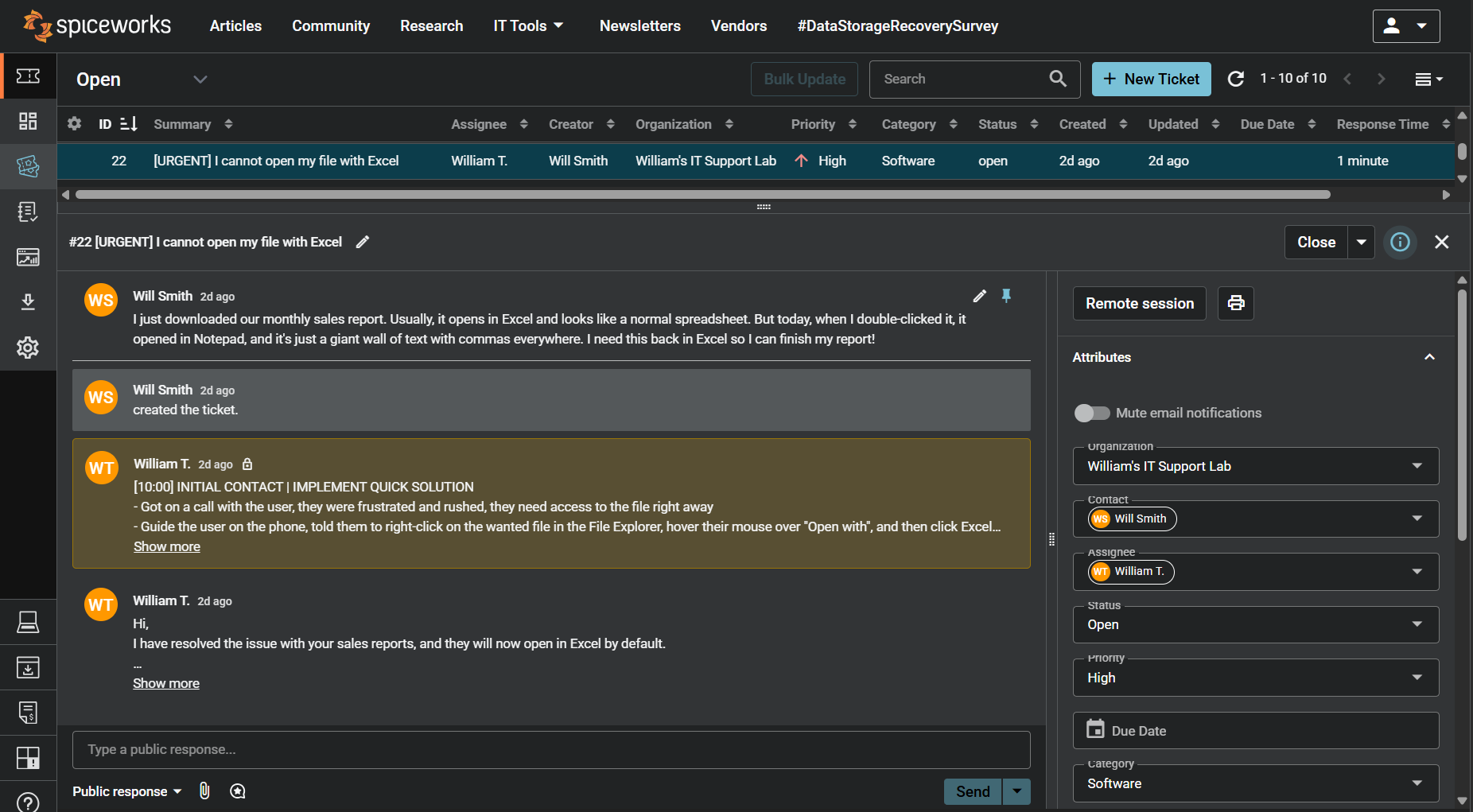
Screenshot: Complete ticket view in Spiceworks showing ticket flow and documentation (click to view full size)