ID: #015/Intermittent Connectivity - Physical Layer Fault (Keystone Jack)
Ticket Details
- Priority: Low
- Category: Maintenance
- Time to Resolve: 20 mintues
User's Report
"My PC sometimes can access the file server, sometimes it cannot."
My Troubleshooting Process
[09:30] - INITIAL CHECK
- Accessed the workstation and verified the intermittent connection issue.
- Inspected the Ethernet port on the workstation; the cable appeared secure.
- Checked the corresponding port on the local switch and observed the link light toggling between green and amber every few minutes.

[10:15] - ROOT CAUSE IDENTIFICATION | REMEDIATION
- Inspected the keystone jack using an impact punch-down tool. Identified that the White-Orange/Orange pair was partially sheared, likely due to a dull punch blade.
- Re-terminated the connection using the T568B standard. Ensured the cable spline was cut flush and pair twists were maintained within 0.5 inches of the IDC block.
- Validated 1Gbps stability using a wiremap tester.

[11:00] - RESOLUTION
- Confirmed stable connectivity and verified successful network access with the user.
Resolution & Communication
[09:30] - INITIAL CHECK
- Accessed the workstation and verified the intermittent connection issue.
- Inspected the Ethernet port on the workstation; the cable appeared secure.
- Checked the corresponding port on the local switch and observed the link light toggling between green and amber every few minutes.
[10:15] - ROOT CAUSE IDENTIFICATION | REMEDIATION
- Inspected the keystone jack using an impact punch-down tool. Identified that the White-Orange/Orange pair was partially sheared, likely due to a dull punch blade.
- Re-terminated the connection using the T568B standard. Ensured the cable spline was cut flush and pair twists were maintained within 0.5 inches of the IDC block.
- Validated 1Gbps stability using a wiremap tester.
[11:00] - RESOLUTION
- Confirmed stable connectivity and verified successful network access with the user.
My response to user:
"Hi,
I’m writing to follow up on the connection issues you were experiencing with your workstation.
After investigating the hardware, I identified a physical fault in the wall jack connection that was causing your network link to "flap" (drop in and out). I have since re-terminated the internal wiring and tested the port to ensure it is holding a stable, high-speed connection.
You should be all set to go! I’ll leave this ticket open for the next few hours—please let me know if you notice any further interruptions so I can jump back in immediately.
Best regards,"
As Documented in Spiceworks
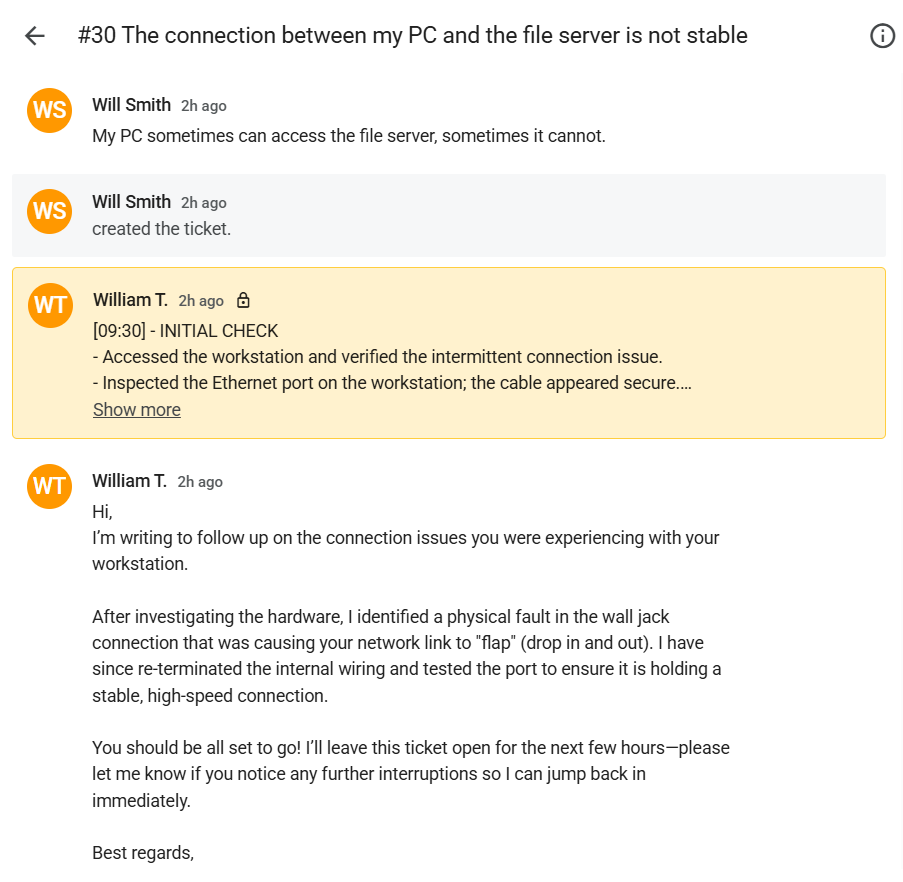
Screenshot: Complete ticket view in Spiceworks showing ticket flow and documentation (click to view full size)