ID: #006/Microsoft Word Frequent Crashes (Add-in Conflict)
Ticket Details
- Priority: High
- Category: Software
- Time to Resolve: 30 minutes
User's Report
"Every time I use Word, it just suddenly paused and freeze than I get an popup display the message "Microsoft Word is not responding". I really need this to work. Please come and fix early. Thank you."
My Troubleshooting Process
[12:00] - INITIAL CONTACT | VERIFY ISSUE
- Turn Microsoft Word on, and it crashed after 10 minutes, verified the issue

[12:30] - FOLLOW-UP TROUBLESHOOTING
- Rebooted the computer, the issue persisted
- Accessed the Options menu in Word, clicked on Add-ins
- Selected COM add-ins and clicked Go, unchecked all the boxes
- Accessed the Add-ins again, selected Word add-ins, and clicked Go, unchecked all the boxes
- Rebooted the computer, turned Word on, and verified the application was stable
- Give some educational advices to the user
Resolution & Communication
[12:00] - INITIAL CONTACT | VERIFY ISSUE
- Turn Microsoft Word on, and it crashed after 10 minutes, verified the issue
[12:30] - FOLLOW-UP TROUBLESHOOTING
- Rebooted the computer, the issue persisted
- Accessed the Options menu in Word, clicked on Add-ins
- Selected COM add-ins and clicked Go, unchecked all the boxes
- Accessed the Add-ins again, selected Word add-ins, and clicked Go, unchecked all the boxes
- Rebooted the computer, turned Word on, and verified the application was stable
- Give some educational advices to the user
My response to user:
"Hi,
I have resolved the crashing issue you were experiencing with Microsoft Word.
After testing, I identified that the crashes were caused by conflicting Add-ins (third-party tools that plug into Word). These add-ins were causing the application to become unstable and close unexpectedly after a few minutes of use.
If you ever need to install a new tool that integrates with Word (like a PDF converter or a grammar checker), try to install only one at a time. If Word starts crashing again immediately after an installation, the new Add-in is likely the culprit!
Your Word application is now stable and ready for use.
Best regards,"
As Documented in Spiceworks
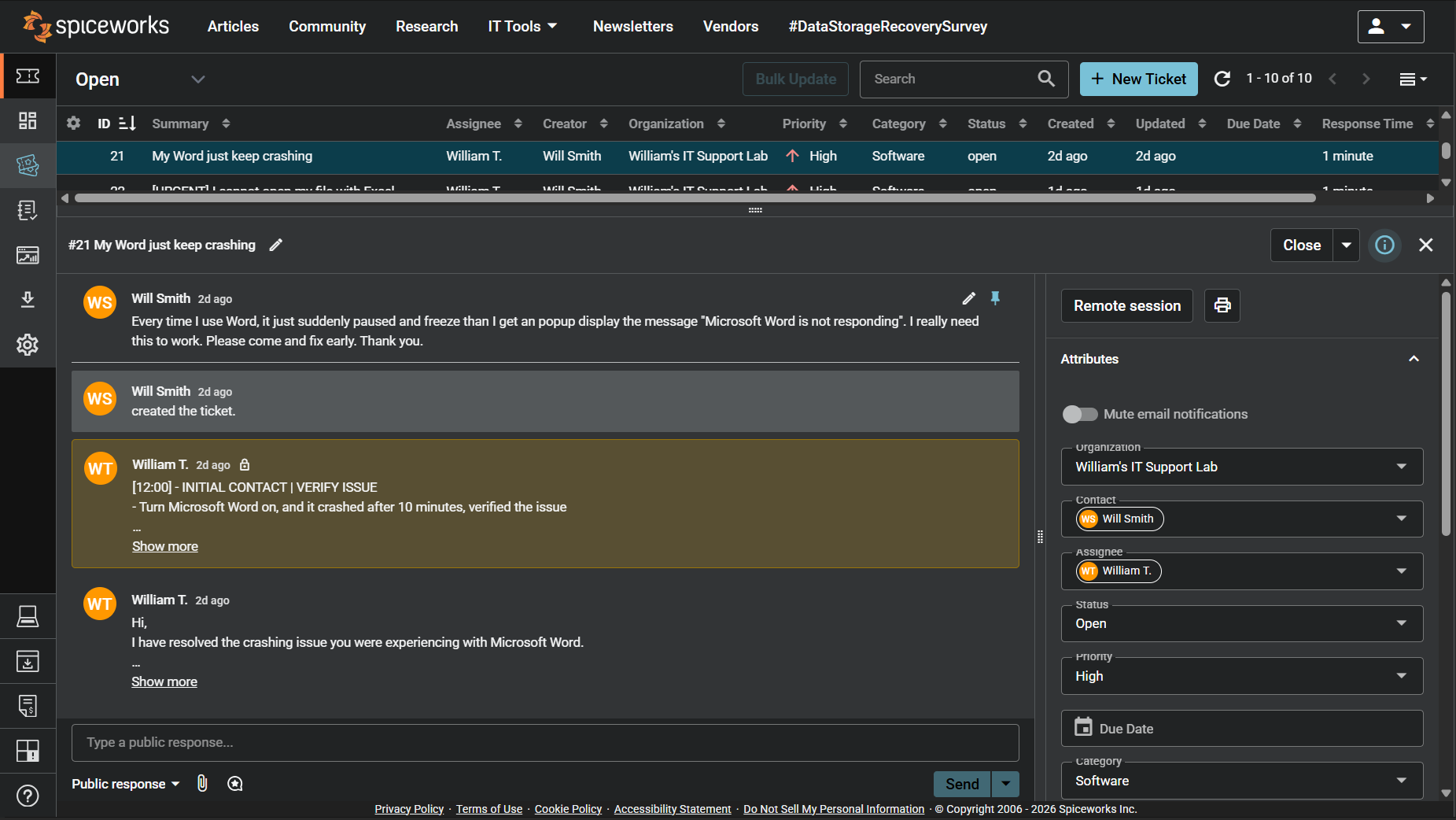
Screenshot: Complete ticket view in Spiceworks showing ticket flow and documentation (click to view full size)