ID: #004/Outlook Search Indexing Failure
Ticket Details
- Priority: Medium
- Category: Software
- Time to Resolve: ~1 hour
User's Report
"I try to search for email send to me yesterday but got the message "No results found". I try many time and figure out that it can only display email from last month. Any email this week or last week cannot be searched."
My Troubleshooting Process
[17:00] - INITIAL CONTACT | VERIFY ISSUES
- Accessed the user device by Remote Desktop with their IP address
- Confirmed access to any email this month through scrolling
- Verified that the search is faulty and cannot search for any emails this month

[17:15] - FOLLOW-UP TROUBLESHOOTING
- Accessed Indexing Options through Control Panel (view by: Large Icon), noticed that there were still 7,453 items waiting for indexing
- Rebooted the system and accessed the Indexing Options, clicked Advanced, and clicked Rebuild

[18:15] - CHECK BACK IN | RESULT
- The Search feature was working again
- Educate the user
- Go home
Resolution & Communication
[17:00] - INITIAL CONTACT | VERIFY ISSUES
- Accessed the user device by Remote Desktop with their IP address
- Confirmed access to any email this month through scrolling
- Verified that the search is faulty and cannot search for any emails this month
[17:15] - FOLLOW-UP TROUBLESHOOTING
- Accessed Indexing Options through Control Panel (view by: Large Icon), noticed that there were still 7,453 items waiting for indexing
- Rebooted the system and accessed the Indexing Options, clicked Advanced, and clicked Rebuild
[18:15] - CHECK BACK IN | RESULT
- The Search feature was working again
- Educate the user
- Go home
My response to user:
"Hi,
I have resolved the issue with your Outlook search.
What was fixed: The Windows Search Index—the tool Outlook uses to find your emails—had stalled, leaving over 7,400 items waiting to be processed. I have successfully rebuilt the search index, allowing it to correctly catalog your recent messages.
If you notice search results becoming "stale" in the future, it is often due to a high volume of new data.
Your Outlook is fully updated and ready for use. Have a great evening!
Best regards,
As Documented in Spiceworks
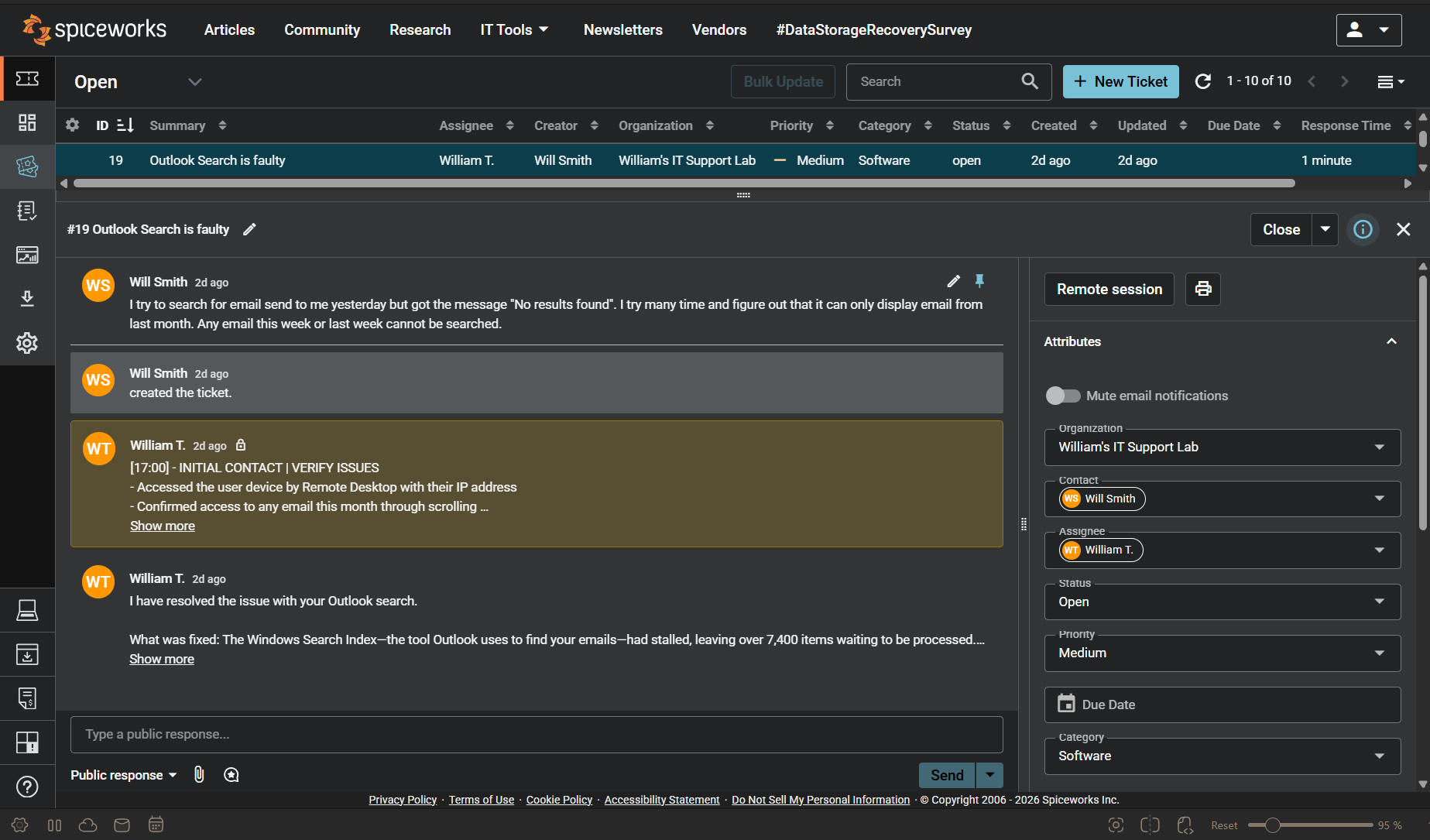
Screenshot: Complete ticket view in Spiceworks showing ticket flow and documentation (click to view full size)