ID: #001/Micro SD Card "Need Formatting" - Hardware Damage
Ticket Details
- Priority: Low
- Category: Hardware
- Time to Resolve: 1 hour
User's Report
"I have a micro SD card and whenever I plug it in my device, it display the text "Need formatting". I have already use another the one for my work so this is not very urgent. Thank you."
My Troubleshooting Process
[11:00] - INITIAL CONTACT / INFORMATION GATHERING
- Talked to the user and gathered the following details:
- Micro SD card: SanDisk 64GB, unknown age
- USB Adapter: INSIGNIA USB micro SD-SD reader, newly issued

[11:15] INITIAL TROUBLESHOOTING / VERIFY PROBLEM
- Plug the micro SD card into a Windows 11 workstation via the USB adapter.
- Device Manager detected the USB adapter as Disk 1 and Disk 2 (for each card socket in the adapter).
- Device Manager showed "No media" on both disks.
- Plug in different USB sockets, same issue.
- Restarted the system, plugged the USB adapter back in, same issue.
- Used another known good USB adapter, same issue.
- Switched to a different workstation, same issue.
- Verified problem: The micro SD card has an issue (may or may not be dead)

[11:45] - FOLLOW UP TROUBLESHOOTING
- Cleaned the contact of the micro SD card, same issue.
- Updated USB adapter driver, same issue.

[12:00] - CHECK BACK WITH USER / FINAL RESULT
- User admitted that they had inserted the micro SD card in the wrong direction. The card was stuck. They have used a pair of tweezers to remove the card.
- Final result: The card contact was damaged in the removal process. Issued the user a new one. Educated the end user on micro SD insertion and the steps to take when the card is stuck.
Resolution & Communication
My response to user:
"Following up on your SD card issue. After testing the card in multiple workstations and with different adapters, it appears the physical contacts on the card were damaged, likely during the removal process when it was stuck.
I have issued you a new 64GB SanDisk card, formatted and ready for use.
For the future:
- If a card feels 'stuck,' please bring the device to the Help Desk immediately so we can remove it without damaging the pins.
- Ensure you 'Safely Remove' the drive in Windows before unplugging it to protect the data.
I've closed this ticket now. Let me know if you have any trouble with the new card!"
As Documented in Spiceworks
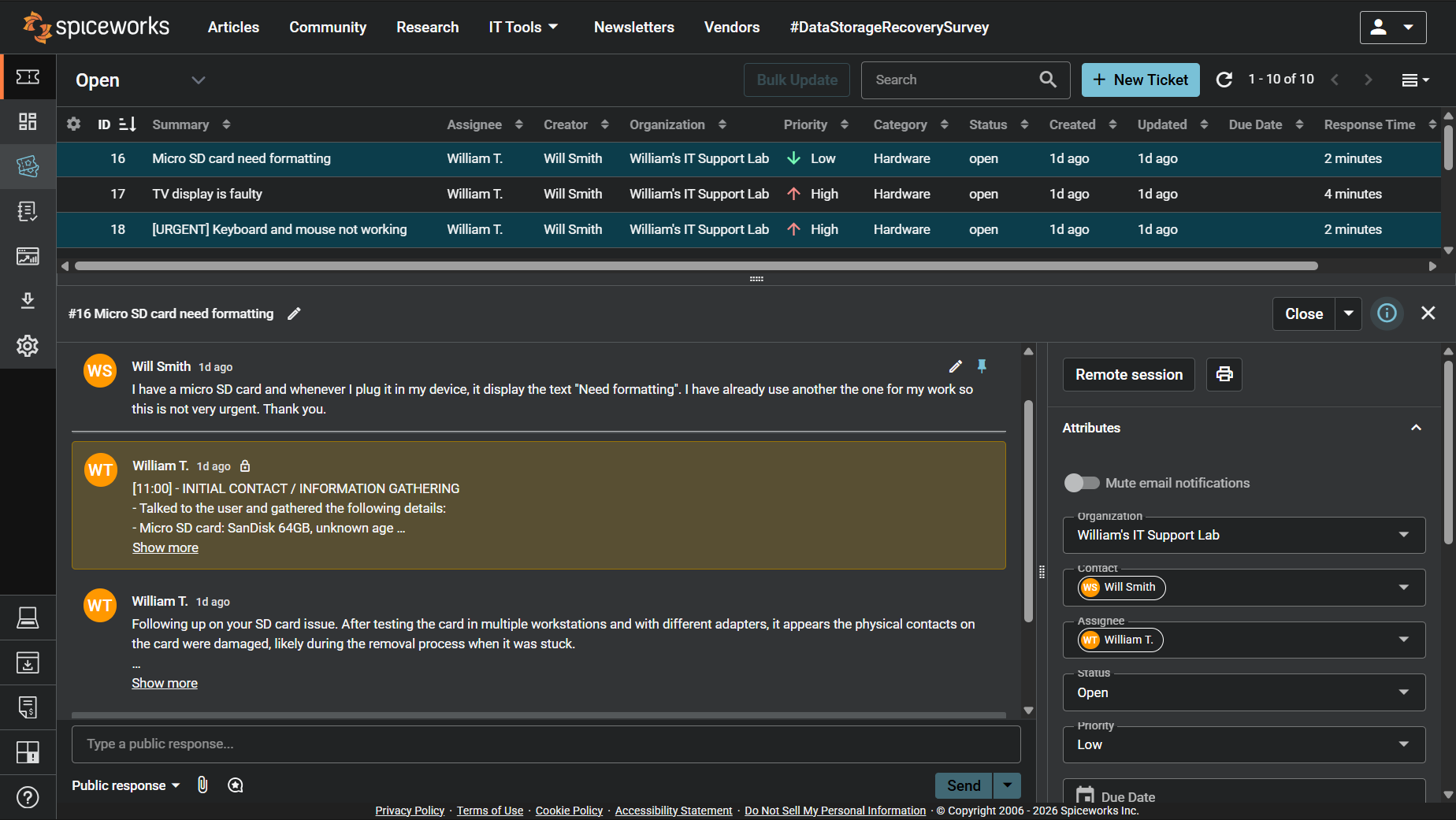
Screenshot: Complete ticket view in Spiceworks showing ticket flow and documentation (click to view full size)